
A Comprehensive Guide to 144Hz Portable Monitors
- sales297433
- Jan 20
- 4 min read
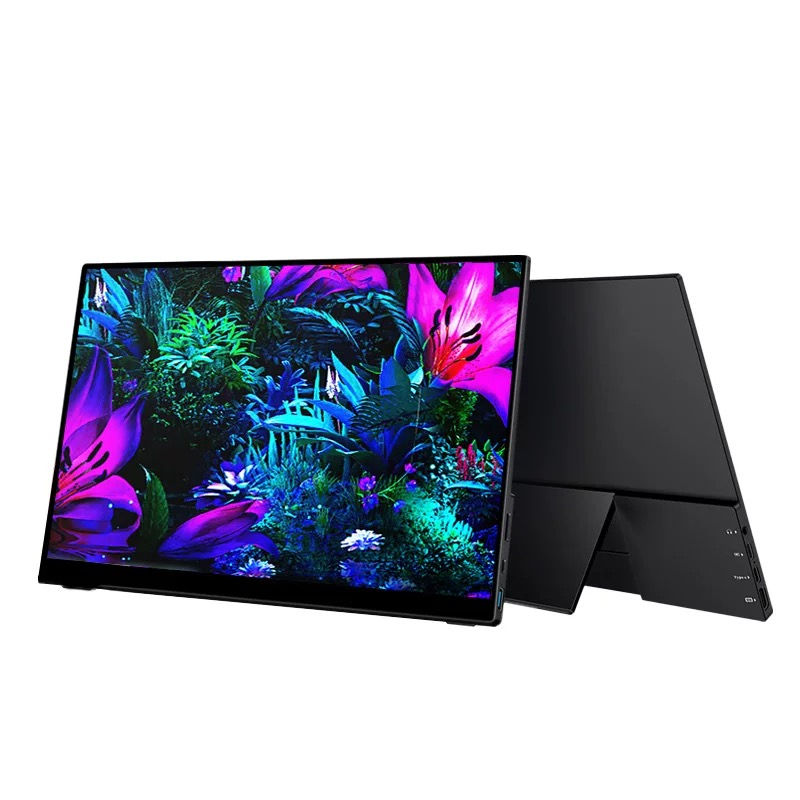
In today’s fast-paced digital world, having the right tools can significantly enhance your productivity and entertainment experience. One such tool that has gained popularity among gamers, content creators, and professionals alike is the 144Hz portable monitor. These monitors offer high refresh rates, making them ideal for fast-paced activities like gaming and video editing. This guide will explore everything you need to know about 144Hz portable monitors, including their benefits, features, and top recommendations.

Understanding Refresh Rates
What is Refresh Rate?
The refresh rate of a monitor refers to how many times per second the display updates with new information. Measured in hertz (Hz), a higher refresh rate means smoother motion and less blur during fast-moving scenes. For example, a 144Hz monitor refreshes the image 144 times per second, providing a significant advantage over standard 60Hz monitors.
Why Choose 144Hz?
Choosing a 144Hz monitor can greatly enhance your viewing experience. Here are some reasons why:
Smoother Gameplay: Gamers benefit from reduced motion blur and improved responsiveness, making it easier to track fast-moving objects.
Enhanced Visuals: High refresh rates contribute to clearer images, especially during action-packed scenes in movies or games.
Better Productivity: For professionals, a smoother display can improve multitasking and reduce eye strain during long hours of work.
Key Features of 144Hz Portable Monitors
When selecting a 144Hz portable monitor, consider the following features:
Display Quality
Resolution: Look for monitors with at least Full HD (1920x1080) resolution for sharp images. Some models offer higher resolutions like 1440p or 4K.
Panel Type: IPS panels provide better color accuracy and viewing angles compared to TN panels, making them ideal for creative work.
Connectivity Options
Ensure the monitor has multiple connectivity options such as HDMI, USB-C, and DisplayPort. This flexibility allows you to connect to various devices, including laptops, gaming consoles, and smartphones.
Portability
Since these monitors are designed for on-the-go use, consider their weight and size. A lightweight design with a slim profile makes it easier to carry in a backpack.
Built-in Features
Some portable monitors come with built-in features like speakers, adjustable stands, or touch capabilities. These can enhance your overall experience and usability.
Top 144Hz Portable Monitors
Here are some of the best 144Hz portable monitors available on the market:
ASUS ROG Strix XG17AHPE
Display Size: 17.3 inches
Resolution: Full HD (1920x1080)
Panel Type: IPS
Connectivity: USB-C, HDMI
Weight: 1.06 kg
The ASUS ROG Strix XG17AHPE is a top choice for gamers and professionals alike. With its vibrant colors and excellent viewing angles, this monitor is perfect for gaming on the go. It also features a built-in battery, allowing for up to 3.5 hours of use without being plugged in.
AOC I1601FWUX
Display Size: 15.6 inches
Resolution: Full HD (1920x1080)
Panel Type: IPS
Connectivity: USB-C
Weight: 0.8 kg
The AOC I1601FWUX is an ultra-portable monitor that offers great performance in a compact design. Its lightweight build makes it easy to carry, while the IPS panel ensures excellent color reproduction. This monitor is ideal for professionals who need a secondary display for presentations or multitasking.
Lenovo ThinkVision M14
Display Size: 14 inches
Resolution: Full HD (1920x1080)
Panel Type: IPS
Connectivity: USB-C
Weight: 0.6 kg
The Lenovo ThinkVision M14 is one of the lightest portable monitors available, making it perfect for travel. It features a sleek design and adjustable height, allowing for comfortable viewing angles. The monitor also has dual USB-C ports for easy connectivity.
Benefits of Using 144Hz Portable Monitors
Improved Gaming Experience
For gamers, a 144Hz portable monitor can make a world of difference. The increased refresh rate reduces lag and motion blur, providing a competitive edge in fast-paced games. Whether you are playing first-person shooters or racing games, the smooth visuals can enhance your overall enjoyment.
Enhanced Productivity
Professionals can benefit from the additional screen real estate that a portable monitor provides. It allows for better multitasking, enabling users to have multiple applications open simultaneously. This can lead to increased efficiency and a more organized workspace.
Versatility
A 144Hz portable monitor is not just for gaming or work. It can also be used for watching movies, editing videos, or even as a digital photo frame. Its versatility makes it a valuable addition to any tech setup.
Tips for Choosing the Right Monitor
When selecting a 144Hz portable monitor, consider the following tips:
Assess Your Needs: Determine what you will primarily use the monitor for—gaming, work, or both. This will help you prioritize features.
Read Reviews: Look for user reviews and expert opinions to gauge the performance and reliability of the monitor.
Check Compatibility: Ensure the monitor is compatible with your devices, especially if you plan to use it with a gaming console or laptop.
Conclusion
A 144Hz portable monitor can significantly enhance your gaming and productivity experience. With their high refresh rates, excellent display quality, and portability, these monitors are perfect for anyone looking to improve their setup. Whether you are a gamer seeking an edge or a professional needing extra screen space, investing in a 144Hz portable monitor is a smart choice. Explore the options available, assess your needs, and find the perfect monitor to elevate your experience.


Comments